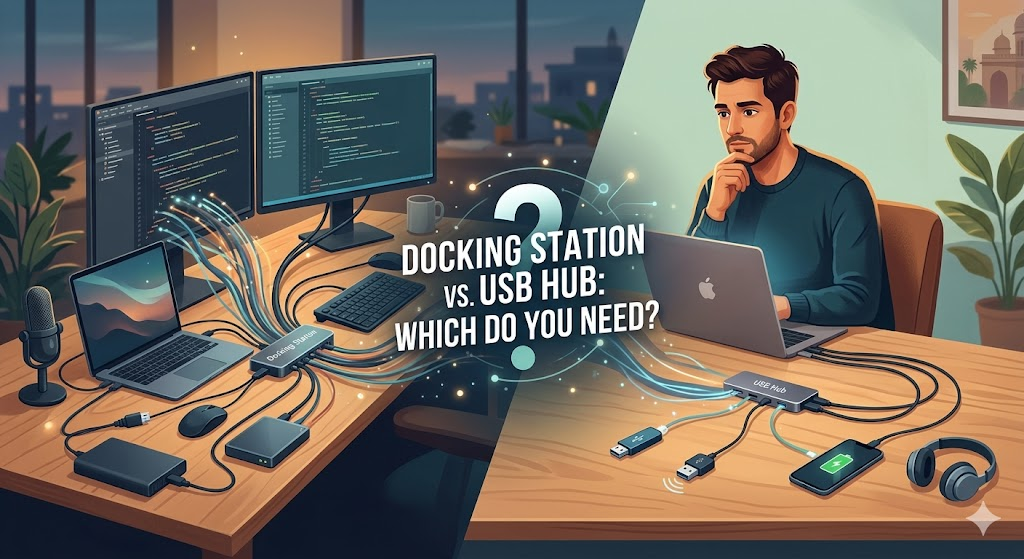
Modern laptops and 2-in-1 computers have been streamlined to feature just a few Thunderbolt or USB-C ports. While this keeps devices slim, lightweight, and perfect for travel, it often leaves you without a way to connect your essential peripherals.
When you need to connect external monitors, charge your phone, and plug in a mouse, you have two primary options: a USB hub or a docking station. Because they often look alike and have overlapping functionality, telling them apart can be confusing.
Here is a complete guide to understanding the differences and deciding which device is the right fit for your workspace.
The Quick Answer: A hub works like a power strip for your computer, expanding the number of ports. A docking station is like adding a second engine, plugging into the wall to transform your portable device into a full desktop replacement.
What is a USB Hub?
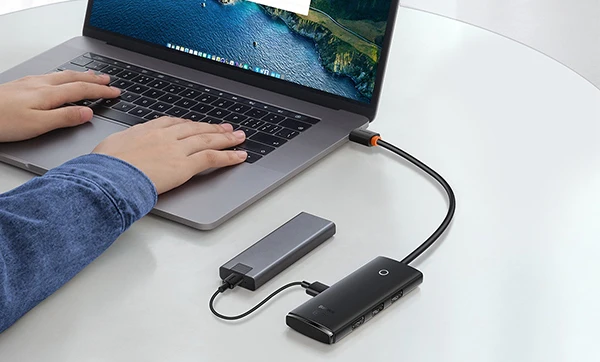
Hubs are designed to expand the number of ports on your device. Whether they use USB-A or USB-C, hubs act as splitters, allowing you to plug multiple devices into a single port on your laptop.
- Power Source: Hubs typically draw their power directly from your laptop.
- Portability: Because they do not require a bulky wall adapter, they are lightweight, small, and incredibly easy to carry in a laptop bag.
- Primary Use: They are the perfect plug-and-play solution for connecting flash drives, external mice, or an SD card reader while on the go.
- Examples: The Kensington K39123AM is a 7-port USB 3.0 hub ideal for travelers with multiple legacy USB-A accessories. Alternatively, cable converters (like the Kensington K33024WW for DisplayPort to VGA) act as mini-hubs to bridge the gap between old and new tech.
What is a Docking Station?
Docking stations expand the functionality of your portable device to handle heavy-duty, permanent desk setups. Connecting via Thunderbolt 4, Thunderbolt 3, USB-C, or USB-A, a dock provides workstation-level power for your entire desk.
- Power Source: Unlike hubs, docking stations plug directly into a wall outlet. This allows them to power their own ports and charge your laptop simultaneously (providing up to 100W of power depending on the model).
- Display & Connectivity: Video output is a standard feature. Docks support multiple external monitors (up to triple 4K at 60Hz) via DisplayPort, HDMI, DVI, or VGA. They also natively support Gigabit Ethernet and advanced audio connections.
- Hybrid Solutions: Devices like the Kensington SD5700T or SD5600T support modern Thunderbolt and USB-C laptops, while hybrid models like the SD4750P adapt to support both modern USB-C and legacy USB-A laptops. This makes docks ideal for “hot-desking” environments where different laptops share the same desk.
Head-to-Head Comparison
| Feature | USB Hub | Docking Station |
| Primary Function | Expands available ports | Desktop replacement |
| Power Source | Draws power from the laptop | Plugs into the wall |
| Laptop Charging | Rarely supported | Yes (Usually up to 100W) |
| Multi-Monitor Support | Basic (if any) | Advanced (Up to triple 4K) |
| Portability | High (pocket-sized) | Low (designed to stay on a desk) |
Which Should You Buy?
The debate between hubs and docking stations comes down entirely to what you are trying to achieve.
Buy a USB Hub if:
You travel frequently, work from coffee shops, and simply need a lightweight way to connect a few extra USB devices—like a portable hard drive or a wireless mouse—without spending a lot of money.
Buy a Docking Station if:
You want to turn your laptop into a desktop powerhouse. If you have a permanent home office or work desk and want to connect to dual 4K monitors, a hardwired internet connection, a printer, and a full-sized keyboard using a single cable, a docking station is the ultimate investment.