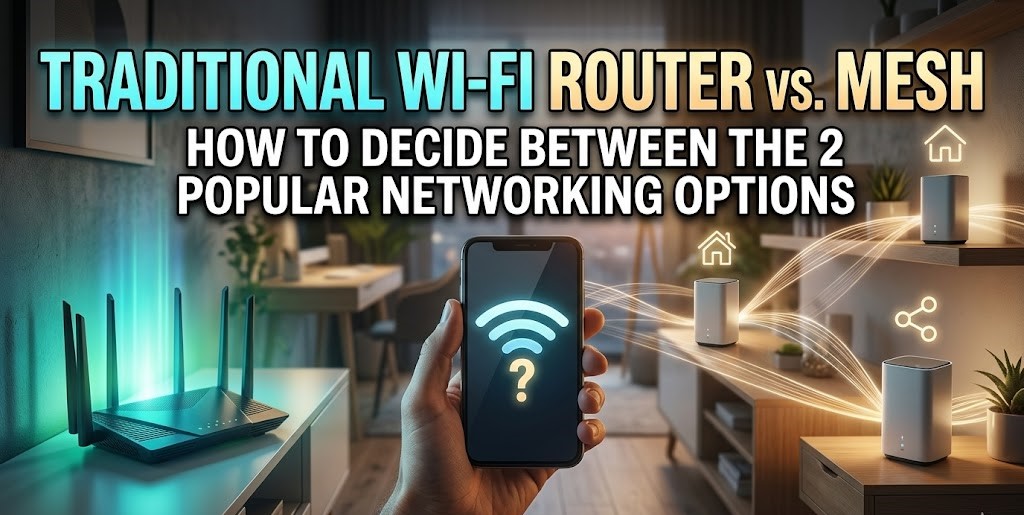
In the era of flexible work, a rock-solid home Wi-Fi setup is a must. Between your laptop, the kids’ tablets, and a house full of smart gadgets, your bandwidth demands are higher than ever. That raises a classic tech dilemma: stick with a traditional high-powered router, or upgrade to a multi-node mesh system?
Key Takeaways:
- Routers are generally cheaper, faster, and easier to set up.
- Mesh systems fix dead zones with wider, seamless coverage.
- Choose based on your budget, home size, and specific connection needs.
The right choice really comes down to your floor plan and where you actually get your work done. Modern routers have become impressively powerful, and for many, a single well-placed unit is all you’ll ever need. However, if you’re dealing with dead zones in a larger house or trying to join a video call from a distant spare bedroom, a mesh network can provide that seamless, wall-to-wall coverage that keeps everything running smoothly.
If you’re not sure of the difference, that’s fine! Let’s examine both types of connections and consider their pros and cons to determine which one is best for you.
What is a Traditional Wi-Fi Router?
A traditional router acts as a central hub for internet connectivity. The router connects to your internet service provider (ISP) and then allows other devices in the home to connect to it, either via Wi-Fi or by plugging in an Ethernet cable. Typically, routers are password-protected so only your household can connect to them.
You should buy a traditional Wi-Fi router if…
- You’re on a budget: Standard routers are generally much more affordable than mesh network products. While you can still expect to pay a hundred dollars or more for a premium router, there are many budget-friendly options stable enough to keep your home office running effectively without further input.
- You have heavy bandwidth and speed requirements: Many routers today are designed with the technology needed to meet heavy bandwidth and streaming requirements. Some, like the Asus RT-BE86U, aim to exceed the requirements of most people for the fastest connection possible by utilizing next-generation Wi-Fi 7 technology. Gamers and live streamers, for example, should generally stick with wired Ethernet connections and traditional routers to get the absolute lowest latency.
- You want a plug-and-play product: A standard router is often less hassle to set up than a mesh network. For something that “just works,” a typical router might be the best option. Set it up once, make sure updates are automatically applied, and forget about it.
- You want to separate devices and networks: You can set up guest Wi-Fi networks on most modern routers, but if you also want to keep all of your devices on a separate home network in the interests of security, most routers will allow you to do this without much hassle.
What is a Mesh Router?
While traditional routers are singular, centralized access points, mesh networks are completely decentralized.
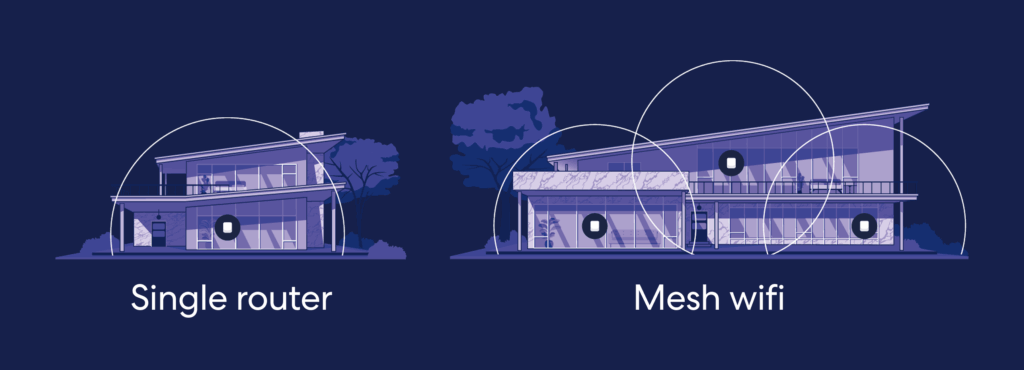
Instead of a single device connecting to a single gateway to the internet, mesh networks are built from multiple Wi-Fi nodes that all provide web connectivity. For example, you could have a central hub in the kitchen and satellite nodes in the home office and bedroom. When you move around the house, you automatically connect to the nearest node—and this blanket coverage is why mesh devices are great for larger homes or offices.
You should buy a mesh networking system if…
- You have spotty coverage in your home: The main benefit of a mesh network is extended coverage. Investing in a mesh setup will remove annoyances like black spots or slow connections in larger properties. Mesh networks can often cover up to 5,000 sq. ft. (and more, with enough satellites).
- You need a reliable connection, no matter where you are: Because your device will seamlessly connect to the nearest satellite node rather than a central point of access, you are less likely to experience connectivity failures or drops. This makes top-tier models like the Eero Pro 7 perfect for homes with detached offices or distant garden areas.
- You want additional controls: Once a mesh network is active, many vendors allow users to control their system through a mobile app. This could include keeping an eye on network traffic, rebooting, or even turning off the internet entirely—an appealing prospect for parents who want to easily manage screen time.
Frequently Asked Questions
What are the disadvantages of using a Wi-Fi router?
There are three key disadvantages of using a traditional Wi-Fi router:
- Coverage issues: Because internet access is distributed through a single point, areas far away from your router will have slow or spotty connections. Wi-Fi range extenders can help remove this barrier, but it is an additional expense.
- Overload: Too many connections on a single access point may result in overloading, bottlenecks, lags, and connectivity drops.
- Tweaking: If you want to tweak advanced settings on a traditional router, it often requires visiting a clunky desktop platform rather than a seamless mobile app.
What router system is best for my home office?
You need to decide whether the financial outlay for a whole mesh network is worth it. In larger homes with dead spots, mesh networking can improve your Wi-Fi signal strength and coverage immediately. However, if you’re the only person using your network and need a stable, powerful internet connection for resource-hungry applications, a traditional router with a direct Ethernet cable may be all you need for reliable and rapid access.
Is mesh Wi-Fi better for gaming?
The best way to answer this question is to consider latency. Overall, many mesh systems trade extended coverage for potential downgrades to absolute peak speed and latency. While casual console gamers won’t notice a difference, professional and dedicated gamers will absolutely notice small lags or latency issues. In these cases, a wired, traditional router is your best bet.
Is mesh Wi-Fi better than an extender?
While both mesh Wi-Fi and extenders will improve the coverage of your home, mesh systems provide seamless transitions between Wi-Fi access points dotted around your home. Wi-Fi extenders can’t be tweaked so easily and require your device to switch networks as you move. However, they are significantly cheaper and are the best option if you just want to tackle a single isolated dead zone.
Check your ISP first
Before changing your setup, you should review your internet service provider (ISP) package. If you’re subscribed to a low-speed offering, or your internet provider throttles your speed at peak times, new equipment is not going to help. Instead, a package upgrade could be a better option.