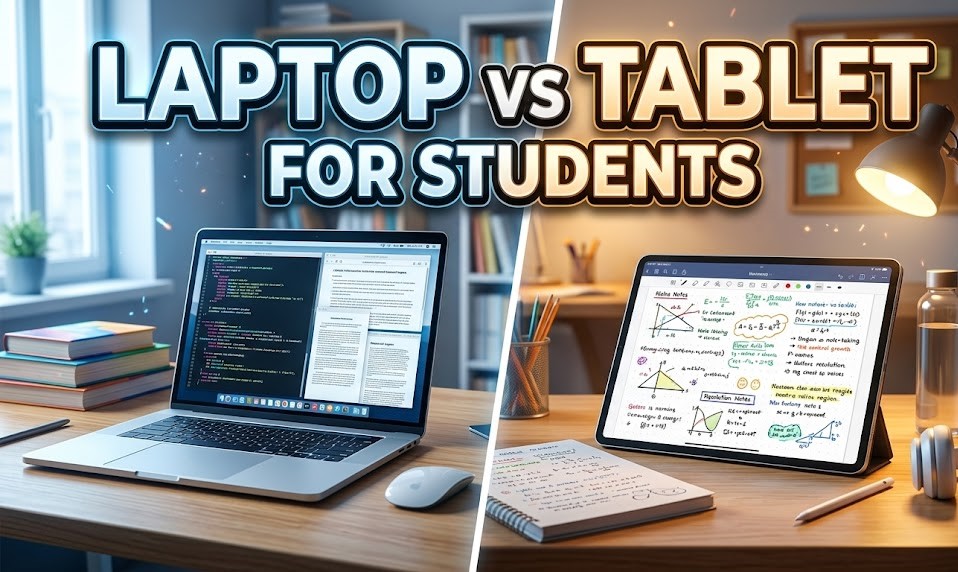
Choosing between a laptop and a tablet depends entirely on how you study. A laptop (like the PiBook) is good for typing heavy assignments, executing complex projects, and using many apps at the same time. Conversely, a tablet is incredibly light to carry and highly useful for reading textbooks and making handwritten notes.
Every student has different needs. Engineering or Computer Science students often require the “heavy lifting” of a laptop, while Humanities or Art students might find a tablet’s flexibility more inspiring. Understanding the core strengths of each helps you avoid an expensive mistake! Pick the device that perfectly matches your daily needs and study style.

Laptop vs Tablet: Core Strengths
- Laptop Strengths: Full desktop operating systems (Windows/macOS), robust multitasking (handling 10+ open tabs smoothly), physical keyboards, and expansive physical ports for external displays or drives.
- Tablet Strengths: Exceptional battery life (often 10+ hours), ultra-lightweight frames, stylus support, and high-resolution touchscreens perfect for digital reading in a comfortable portrait mode.
- Durability: Laptops have a protective clamshell design built into their form factor, while tablets require sturdy aftermarket cases to protect their exposed glass screens.
Choosing a Device for College
The environment of a university campus often dictates your tech. If you are constantly moving between lecture halls, libraries, and dorms, weight becomes a vital factor. A laptop vs tablet decision should be based on your “typical day.”
| Task | Laptop Performance | Tablet Performance |
| Writing Essays | High (Full physical keyboard) | Low (On-screen typing) |
| Lab Software | High (Desktop Apps) | Very Low (App Store limits) |
| Handwritten Notes | Low (Trackpad/Mouse) | Excellent (Stylus support) |
| Video Lectures | Moderate (Bulkier) | High (Hold anywhere) |
Laptops are generally considered the “safe” single-device choice because they have far fewer limitations when accessing finicky university portals or submitting complex assignments.
Maximize a Tablet with a Keyboard
If you love the portability of a slate but still need to write term papers, utilizing a tablet with a keyboard setup is an excellent middle ground. Accessories can transform a simple tablet into a “laptop-lite” device.
- Detachable Keyboards: Brands like Apple and Samsung offer magnetic covers that include a trackpad, bridging the productivity gap.
- Bluetooth Stability: Using a separate wireless keyboard allows you to position the tablet screen at eye level, which is much better for your posture.
- The “Lap” Factor: Laptops are physically stable on your lap; most “tablets with keyboards” require a flat, hard table surface to stand up properly.
- Cost Addition: Remember that a pro-grade keyboard and stylus can easily add ₹10,000–₹25,000 to your initial tablet budget.
Exam Preparation Apps and Hybrid Learning
When it comes to intense study sessions, your hardware shouldn’t slow you down. The experience of using exam preparation apps varies based on how the app is optimized. Most modern coaching apps are designed first for mobile/tablet interfaces, making touch interaction very natural.
- Mock Tests: Laptops are vastly better for simulating the actual exam environment, especially if the final test is computer-based.
- Video Lessons: Tablets are the winner here; they are easier to prop up while you sit comfortably on the couch or travel.
- PDF Annotation: Using a stylus on a tablet to mark up modules feels exactly like using a real pen, which is excellent for memory retention.
- Split Screen: Laptops allow you to have a video lecture on one half of the screen and a Word doc on the other without the text becoming too small to read.
The Benefits of Hybrid Tech
In the modern classroom, the ability to switch environments quickly is vital. A hybrid approach often combines the power of a desk-bound machine with the mobility of a handheld device:
- Cloud Syncing: Use a tablet for lecture notes, then sync them to your laptop for detailed essay writing later.
- E-Textbook Access: Carrying five physical textbooks is heavy; a tablet stores hundreds of books in a device thinner than a single notebook.
- Collaborative Work: Tablets are easier to pass around during a group project to show a quick sketch or diagram.
Final Verdict: Which One Should You Buy?
In 2026, the gap between these devices is actively shrinking, but the “Pro” versions of tablets are now just as expensive as mid-range laptops. If you can only afford one device for your entire four-year degree, a laptop remains the absolute champion for its versatility.
If your academic life revolves around intensive coding, complex data spreadsheets, or long-form writing, you need a laptop. However, if you already have a desktop computer at home and you spend your day annotating research PDFs, sketching anatomy diagrams, or attending online lectures on the go, the tablet offers a level of fluid interaction that a trackpad simply cannot match.
Laptop vs Tablet FAQs
1. Can a tablet completely replace a laptop for a student?
Only if your coursework is purely web-based and doesn’t require specific desktop software (like engineering or coding programs) or heavy document formatting.
2. Which has better battery life?
Generally, tablets have the edge, often lasting 12–14 hours, while high-performance laptops may need a charge after 6–8 hours.
3. Are 2-in-1 laptops the best of both worlds?
Yes, devices like the Microsoft Surface Pro offer a full Windows OS with a detachable touchscreen, though they can be more expensive and fragile.
4. Is an iPad or Android tablet better for studies?
iPads generally have a more mature app ecosystem specifically optimized for students, but Android tablets often offer better file management and value for money.
5. Do I need a laptop for online coaching classes?
While you can watch lectures on a phone or tablet, a laptop is significantly better for taking structured digital notes and solving mock tests simultaneously.